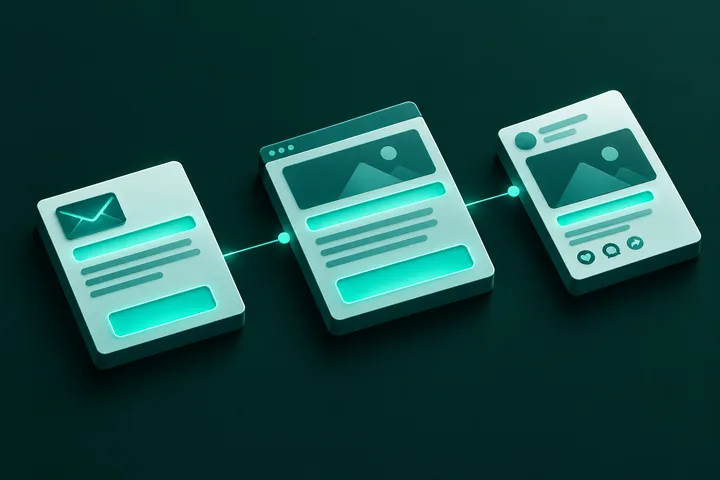
SOMIN Reporting is the performance-reporting solution from SOMIN (SoMin.ai), the AI marketing-intelligence company run by Somin Pte. Ltd. in Singapore. It connects a client's social accounts to the SOMONITOR engine and shows what is landing, broken into themes, in a live dashboard the client can open without waiting for a monthly deck. The live dashboard is coming soon.
Key takeaways
- SOMIN Reporting is a self-serve, always-current client report, shown in the client's own languages, with period-on-period comparison.
- It reports themes (what is actually landing), not only volume, reach and sentiment.
- It runs on SOMONITOR, the same engine SOMIN uses for category research.
- Status: the engine runs today, while the self-serve client dashboard is being productised. SOMIN invites early-access requests.
- SOMIN says it can sit alongside an existing reporting tool, not only replace one.
What is SOMIN Reporting?
SOMIN Reporting is a live client report built on SOMONITOR. The SOMIN Reporting page describes it as the client's own reporting view: a dashboard that stays current, in the client's language, instead of a deck rebuilt by hand every month.
It is aimed at the team that owns the client relationship. SOMIN names three groups: the Head of Insights or Account Director who leads it, the account lead or analyst who runs it, and the clients and leadership who depend on it.
Is SOMIN Reporting available now?
Not yet as a finished product. SOMIN labels the solution "coming". The engine behind it runs today, and SOMIN says customers already cut reporting time on it. The live, self-serve dashboard on top is being productised, and SOMIN invites early-access requests.
That matters when you plan. If you need a client dashboard this week, ask SOMIN what is available for your account before you commit. This article describes the solution as SOMIN publishes it, and it does not promise a date.
How does SOMIN Reporting work?
It follows four steps, as listed on the SOMIN Reporting page:
- Connect the accounts. The client's social accounts connect through each platform's API.
- Forward into SOMONITOR. The data is forwarded into SOMONITOR and processed like all other category signal.
- A live, named dashboard. It surfaces topics, themes and category movement in named snapshots, such as "Q3 Report", in the client's own languages.
- Compare and export. It compares periods side by side, for example Q2 against Q3, and exports what you need. The report stays current between reviews.
The data source is the client's own social accounts. SOMIN does not describe other data sources for this solution, so check the scope with the team before you plan around one.
How is a themed report different from a normal social dashboard?
A normal dashboard counts things: volume, reach and sentiment. SOMIN Reporting breaks what is landing into themes, so a client can see which topics are working and not only how many people reacted. SOMIN's page lists three limits it wants to fix:
- Generic social dashboards show volume, reach and sentiment.
- A monthly report is out of date the day after it is built.
- Analysts spend days each cycle assembling the same deck by hand.
In response, SOMIN says its report shows what is landing by theme, stays current between reviews, compares periods side by side in the client's language, and turns the reporting grind into a dashboard the client opens themselves.
What results has SOMIN published for reporting?
SOMIN cites one case: content agency Click2View, on SOMONITOR. According to the SOMIN Reporting page, the agency reached 9x faster reporting, and analysis time per cycle fell from 18 hours to 3 hours.
These are SOMIN's own published figures for the engine, not for the dashboard, which SOMIN says is still coming. Treat them as a customer example, not a guarantee for your team. Ask for a walkthrough on your own accounts before you rely on them.
How does SOMIN Reporting compare with Talkwalker, Rival IQ and Whatagraph?
SOMIN's comparison page, SOMIN vs Talkwalker, Rival IQ and Whatagraph, places the tools by their main job. These are SOMIN's own positioning summaries of other vendors, so check each vendor's current features before you decide.
| Tool | Main job, per SOMIN's comparison | SOMIN's suggestion |
|---|---|---|
| SOMIN | The client's own themed, live report | Pick it for a themed, always-current client report on what is working |
| Talkwalker | Listening and analytics: mentions, sentiment and trends at scale | Pick it for large-scale listening and sentiment analytics |
| Rival IQ | Competitive social benchmarking against a defined set of rivals | Pick it for head-to-head benchmarking on metrics |
| Whatagraph | Multi-source marketing dashboards and automated reports | Pick it to automate multi-channel reporting into branded reports |
The page also says SOMIN does not necessarily replace Whatagraph or Talkwalker. It reports the category-theme layer and can sit alongside existing reporting. All four tools support period-on-period comparison in that table. SOMIN's stated difference is the themed view and the client's own languages.
Who should consider SOMIN Reporting?
Agencies and in-house teams that send the same recurring deck to clients or leadership are the natural fit. If you also plan content from category signal, read what marketing whitespace is and the sibling guide on SOMIN Strategy. For the wider agency picture, see SOMIN for agencies.
If your main need is one branded report across many channels, SOMIN itself points to Whatagraph for that. If your main need is enterprise-scale listening, it points to Talkwalker. Choose by the job you need done.
What should you ask before you buy?
- Which release stage is the dashboard at today, and what does early access include?
- Which platforms and accounts can I connect through their APIs?
- Which client languages are supported for my markets?
- Can it run alongside the reporting tool I already use?
- How are named snapshots, comparisons and exports handled for my reporting calendar?
SOMIN offers a 30-minute walkthrough and early access as the dashboard rolls out. You can try SOMIN to see the platform behind it.
FAQ
What is SOMIN Reporting in one sentence?
It is SOMIN's solution for a live, self-serve client report, built on the SOMONITOR engine, with themes, named snapshots and period-on-period comparison in the client's language.
Is SOMIN Reporting live yet?
SOMIN labels it "coming". The engine runs today and the self-serve dashboard is being productised. SOMIN invites early-access requests rather than giving a launch date.
Where does the report data come from?
From the client's own social accounts. They connect through each platform's API and are then processed in SOMONITOR like other category signal, according to SOMIN.
Which languages does it report in?
SOMIN says it is built to report in the client's own languages across the markets you serve. It does not publish a language list on the product page, so ask SOMIN for yours.
Does it replace Whatagraph, Talkwalker or Rival IQ?
Not necessarily. SOMIN says it reports the category-theme layer those tools do not, and it can sit alongside your existing reporting.
Sources
All SOMIN facts come from these SOMIN pages: SOMIN Reporting and SOMIN vs Talkwalker, Rival IQ and Whatagraph. Competitor descriptions are SOMIN's summaries of each vendor's public focus.